Debian With Almost No Flatpak
Intro
It all started with weird misclicks registered from my mouse, which turned out to be a hardware problem, but somehow led me to changing my distribution. At first I landed on CentOS, had problems setting up a printer (that was probably my skill issue), panicked and jumped to Debian. I'll write briefly about the reasons to choose Debian, but for the most part this hardware failure and migration was a reason to migrate all my stuff, data and programs, and to consider what I use and how. I hope it helps if you have similar use cases.
Choosing Debian
Apart from hardware issues, it seemed that the last Fedora update brought some dbus bugs. I can't prove it, for the last 2.5 years of using Fedora there were some bugs, but nothing too serious. Still, programs were crashing, memory leaks were standard and lots of programs could not keep up with the pace of Fedora development. Notably my favourite Gnome extensions couldn't keep up, and that was painful. Well, I need something with fast dnf (a package manager), but a little bit more stable, so it's CentOS Stream 10. I installed all the programs, some from RPM Fusion, others from Flathub. And in the end I started setting up my printer and failed. Maybe it can be set up, but I just want to point out a list of distributions for hp drivers (and CentOS had these drivers, but the older version, which didn't include my relatively new MFD):
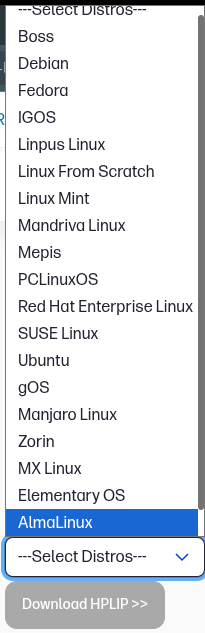
The choice is pretty wide, and there's no CentOS. Nowadays you can install just a binary, go for AppImage, Flatpak, but I still prefer a rpm or deb package as a first option. And CentOS dropped Gimp and LibreOffice in the favor of Flatpaks, if you're interested. And these are the most popular desktop apps, you can extrapolate to lots of other desktop apps to understand the situation. Maybe CentOS is a decent workstation desktop distribution, but not a home desktop distribution. You can still install nvidia drivers from RPM Fusion, by the way.
What to choose then? As I remember OpenSuSe, zypper, the package manager, was very slow. Debian was fine, but I chose some strange iso and had to remove and install a lot of packages, and then my SSD died. And Debian doesn't like messing with external repos, they have a separate article about that. Well, let's try again.
So, I installed Debian, and this time I decided to start with the printer. I opened Gnome Settings, and the printer was just already there. That's what I call 'a desktop experience'. To preserve my SSD I changed vm.swappiness=10 in /etc/sysctl.conf and turned on trim:
sudo systemctl enable fstrim.timer
sudo systemctl start fstrim.timer
I'm not even sure that it's the right thing to do, I just pray for the best. :)
Display and Gnome setup
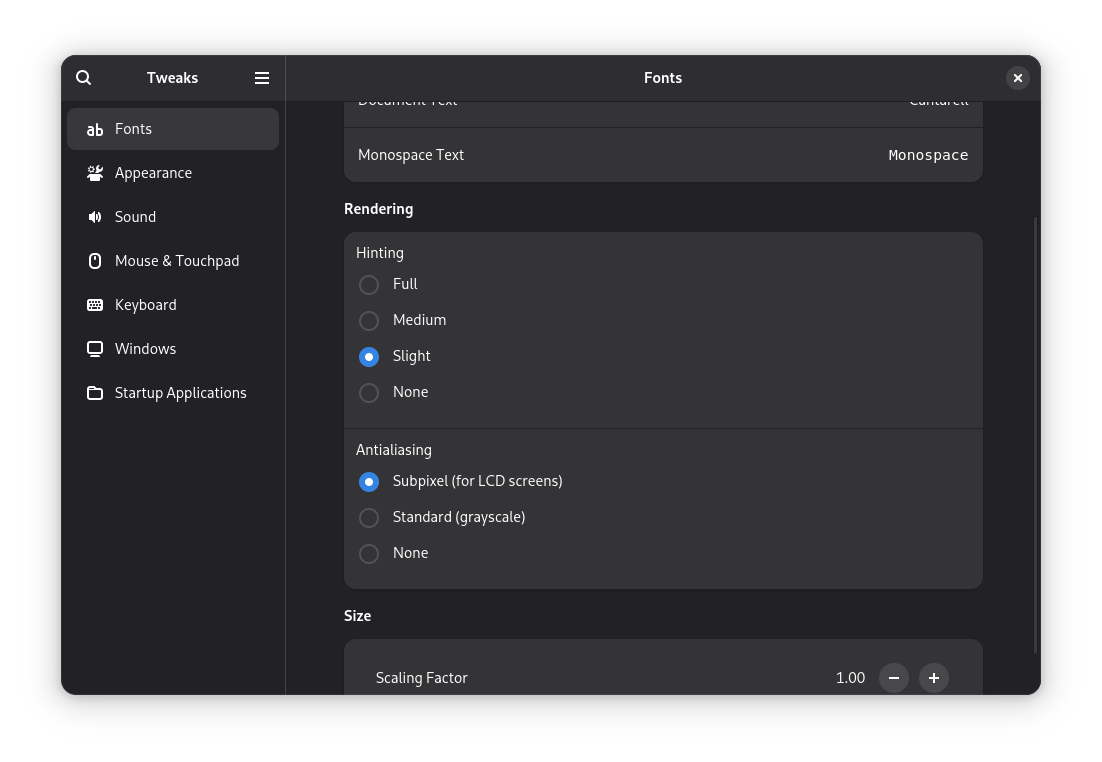
Fonts are important, and the defaults in Debian are strange. But Debian Gnome desktop installation includes Gnome Tweaks, so I ended up with slight hinting and subpixel antialiasing:
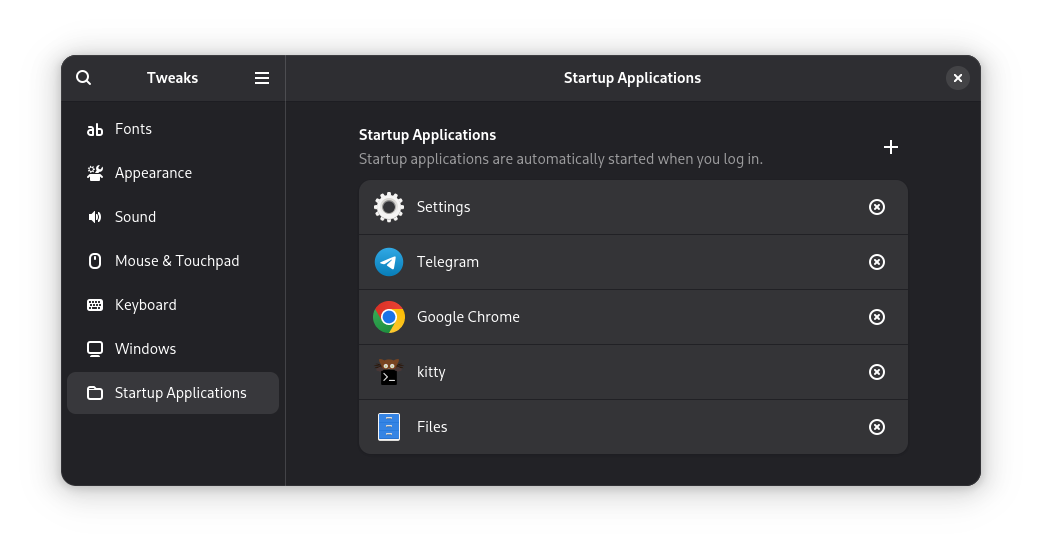
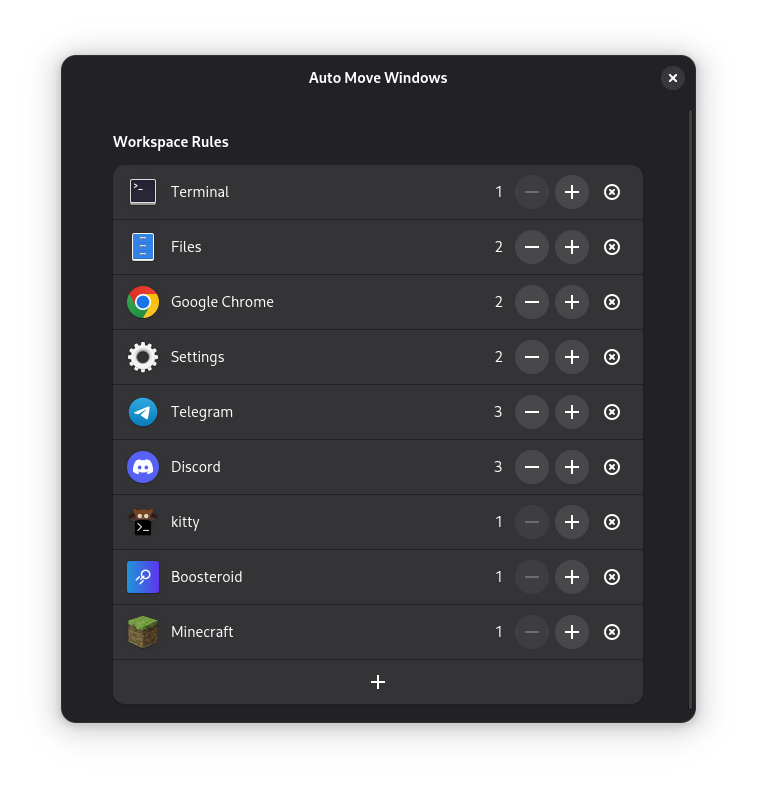
I use exactly two Gnome extensions, I suppose they enhance the productivity greatly, and I have a meltdown when I can't use them:

Combined with autostart in Gnome Tweaks I have the desktop I need every time I log in:
Chrome
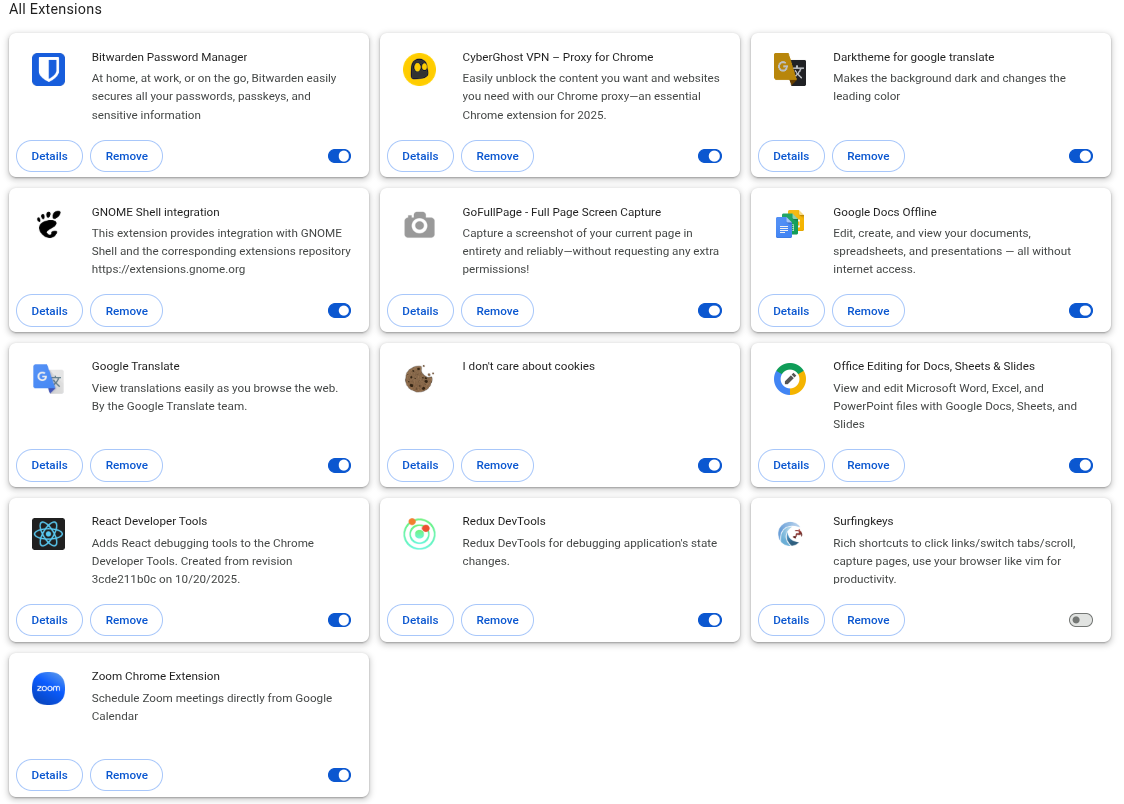
Installing Chrome is the first thing I do, it works for the websites I need, it also works as a web version for Microsoft Teams and Zoom, and I really appreciate that. I also use a number of useful extensions:
There's exactly one scenario when I open Firefox, and it's regrettably common: when a website uses WordPress with an extension that breaks scrolling. Yes, people pay money for someone to make these websites. Animations are more important, you know.
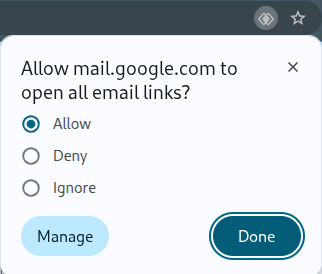
There's also a command to make Gnome open Chrome for mailto: links:
xdg-mime default google-chrome.desktop x-scheme-handler/mailtoTo make it work, you need to click on a small sign in the addressbar when Gmail is opened:
Dev
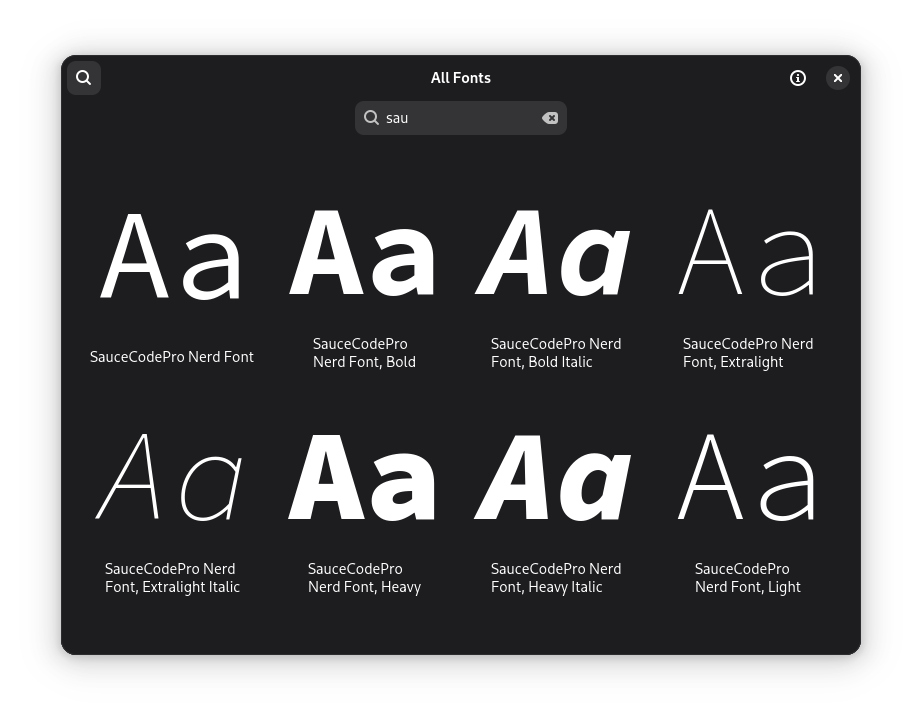
The first thing for me to do is to install a proper font for the terminal, and I've got used to Source Code Pro. It has a strange name with the Nerd symbols, which are used by neovim-Kickstart:
The rest of the installation was straightforward:
- Neovim distribution is a bit too old for Kickstart, so I just installed a binary.
- I don't use Emacs much, but I have a good config and just in case I installed it from the standard repo.
- I also installed kitty as a terminal from a standard repo and added themes from github
- To get the latest golang I installed a binary and updated paths in
.bashrc - To get the latest node and npm I added a nodesource repo
- I use gemini-cli, it's installed using npm
I installed tmux first, but then came across an interesting comment that with kitty you don't need tmux, so I removed tmux and learned kitty's hotkeys.
By the way, I updated my config repo on github, if you are interested.
Communication
Trying to evade Flatpak, I did the following:
- Telegram – installed it from a binary and made a symlink to
/usr/local/bin. - Discord and Zoom have debs, so I used them; I use them for gaming and learning German, accordingly.
Admin
Updating and helping some other people is important, so I use some specific apps for this:
- AnyDesk to access the screen, they have a deb
- tailscale to ssh to a linux pc and do all the work
For myself I use borgmatic for backups, and again, it was just there, in the standard repos.
Sometimes I need VirtualBox, they have deb as well.
Hobbies
My hobbies include recording a podcast and 3d-printing:
- I didn't install Prusa Slicer yet, and it's the only program in the list that requires flatpak.
- To record a podcast from the call or record a screencast I use OBS Studio, so I installed it from the repo, although they recommend a flatpak. The version is outdated (30 vs. 32 on Flathub), but we'll see.
- To edit a podcast I use Reaper, it comes as a binary and just works.
Games
Minecraft has a deb, but surprisingly it's outdated and doesn't work. So I downloaded .tar.gz and added a symlink to /usr/local/bin. The strange thing is, you don't need a Java installed for Minecraft to work, because it installs Java.
For cloud gaming I use Boosteroid, they have a deb and it works, I've played multiple hours. And they didn't pay me to mention them. :)
Misc
Some useful apps, which are in repos:
- Xournal++ to fill in PDF forms
- VLC to have a media player with all the codecs (I think you need to enable
contribrepo in/etc/apt/sources.list) - stow to have my configs in one place and update my github repo from there
Conclusion
For the whole story of backing up and re-installing, I spent the most time with the following issues:
- Setting up a printer, which is relevant for CentOS only
- Setting up Kickstart in neovim, as there were recent changes in neovim and it's not distro-specific (it's a temporary issue, as Kickstart is designed to be exactly one-command install)
Everything else went surprisingly smooth if you don't forget to move your ssh keys. :) I used Fedora as my playground for a lot of experiments, I used VirtualBox and Android Studio, and I must say Fedora is hard to break. Debian is not that hard to break when you start to add repos, but I didn't have to this time as the software versions are not that old, and it feels fast and stable. I hope I don't break it.
The moral of the story is that it's important for a distro to give all the developers to keep up with it. I hope I can work well even in Debian, as I still remember those painful moments of dealing with outdated software or apt complains about broken dependencies. Debian got a great tech stack from Fedora, I mean Gnome and systemd. So, now we can enjoy Debian. I suppose Debian also got some development boost from Google, which uses its Testing branch.